The problem
Supplier details, requests, attachments and replies were spread across spreadsheets, emails and messages. It was hard to find a contact and tell who had responded.
PURCHASING · SUPPLIERS · QUOTES
INTERNAL USEFrom request to supplier follow-up
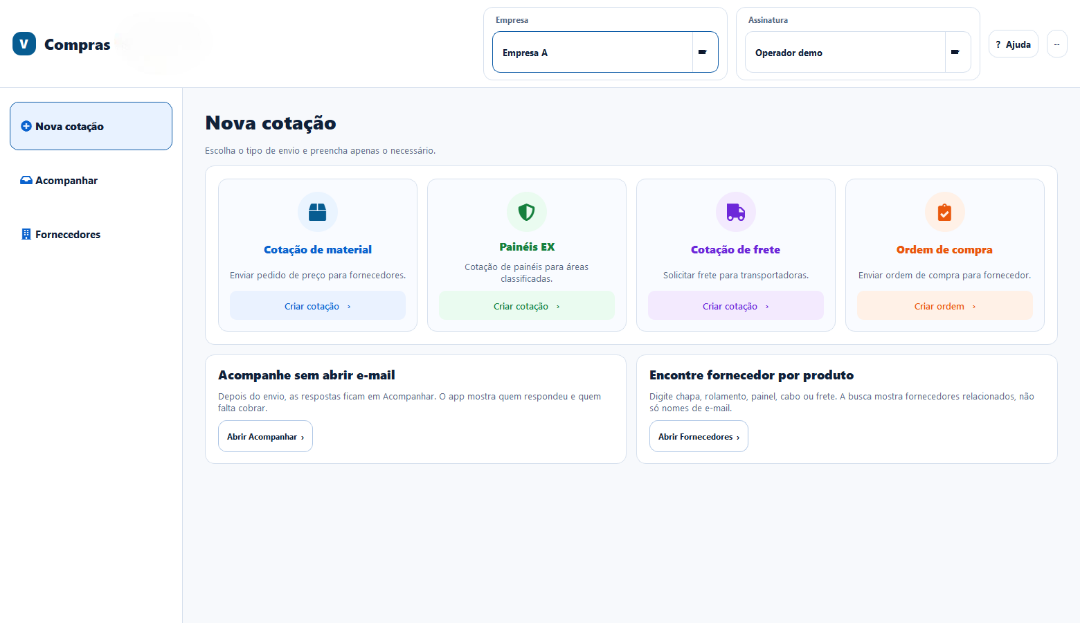
I built a desktop application to organize purchase requests, supplier quotes and replies. Instead of tracking every step in separate spreadsheets and emails, the team can work through one flow from the request to the response.
IN DAILY USE
Supplier details, requests, attachments and replies were spread across spreadsheets, emails and messages. It was hard to find a contact and tell who had responded.
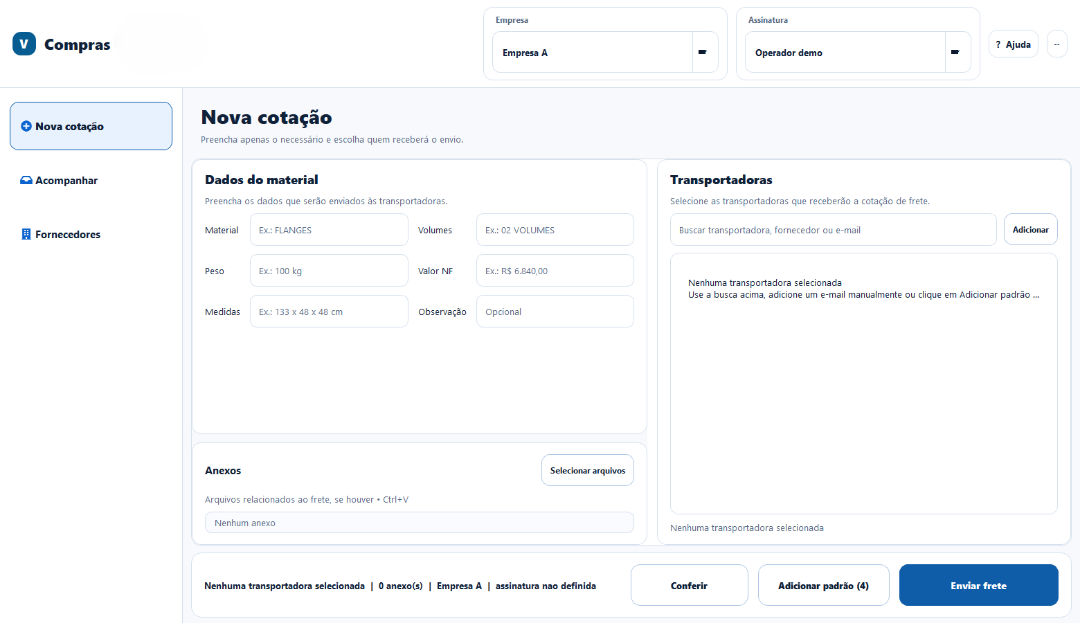
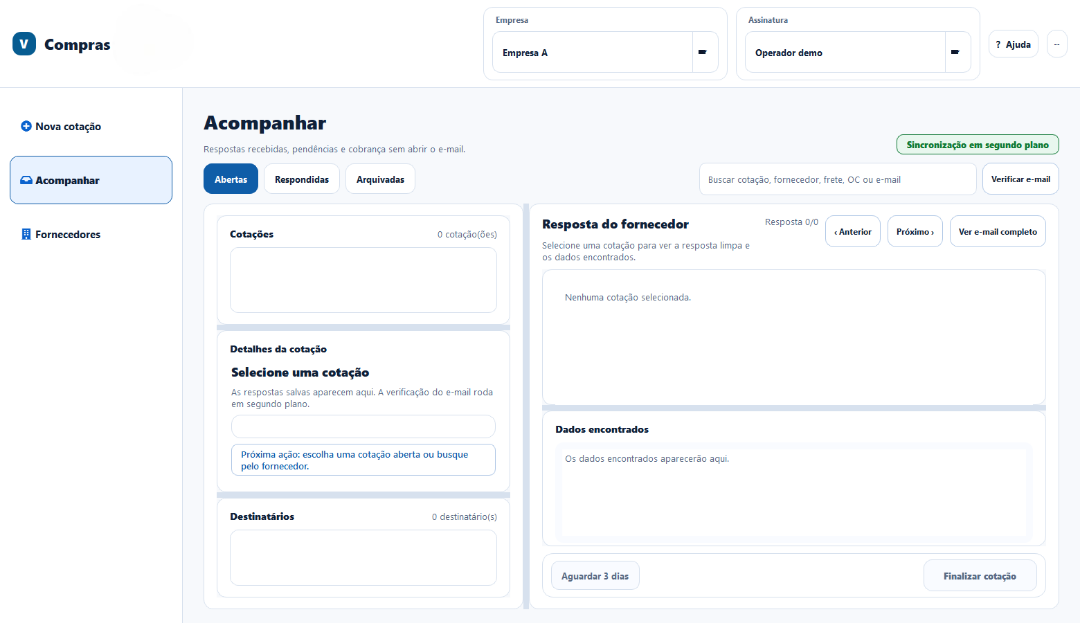
I created a Windows application to search suppliers, prepare quote requests and purchase orders, review outgoing messages and track replies.
A person chooses the request type, enters the necessary details, checks recipients and attachments, and then sends it. The application organizes replies and shows what still needs attention.
The tool supports the purchasing team when supplier quotes are needed.
Requests, messages and replies stay connected. The team spends less time switching between files and emails and can pick up follow-up work more easily.
The app needs to handle replies that arrive later and temporary email failures. It keeps local history and a queue so work can resume safely.
Technology
Python · PySide6 · SQLite · IMAP/SMTP · Excel · Windows.
Public demo
The screens use fictional data. Sending and network synchronization are disabled in this version; no supplier or company document is published.
I built the tool around a real purchasing workflow and continue to evolve it with the people who use it.